Small Office Network Setup: A Practical Guide for SMBs
How to plan a reliable small office network: router choice, WiFi coverage, cabling, guest network, and security without datacenter complexity.
A flaky network shuts down a small office faster than almost anything else. Video calls drop, files sync forever, and everyone blames the WiFi. This guide explains how to set up a small office network that stays stable without enterprise gear or a full-time admin.
TL;DR: Start with a solid router or mesh system, separate guest WiFi, gigabit cabling to fixed desks where you can, and documented passwords. For most SMBs under ten people, consumer-prosumer gear plus good placement beats expensive corporate hardware you will never configure.
What is small office network setup?
Small office network setup is the planning and installation of internet, WiFi, and wired connections for a team that fits in one location: a shop, studio, coworking room, or home office with a few employees. The goal is reliable connectivity for laptops, phones, printers, and maybe a simple server or NAS.
It is not datacenter design. You do not need redundant load balancers for a three-person consultancy. You need predictable WiFi, safe guest access, and backups if the router dies. See also the complete IT guide for small businesses and infrastructure consulting when you outgrow basics.
Why network setup matters for small businesses
Bad networking hides in plain sight. People reboot routers weekly, sit next to the access point for calls, or email files because shared drives timeout. That friction costs sales calls and focus.
- Revenue: stable video and cloud tools keep client work moving
- Security: guest devices should not reach your accounting PC
- Scale: a clean setup makes adding a desk or printer simple
- Support: when something breaks, documented layout saves hours
How a small office network works
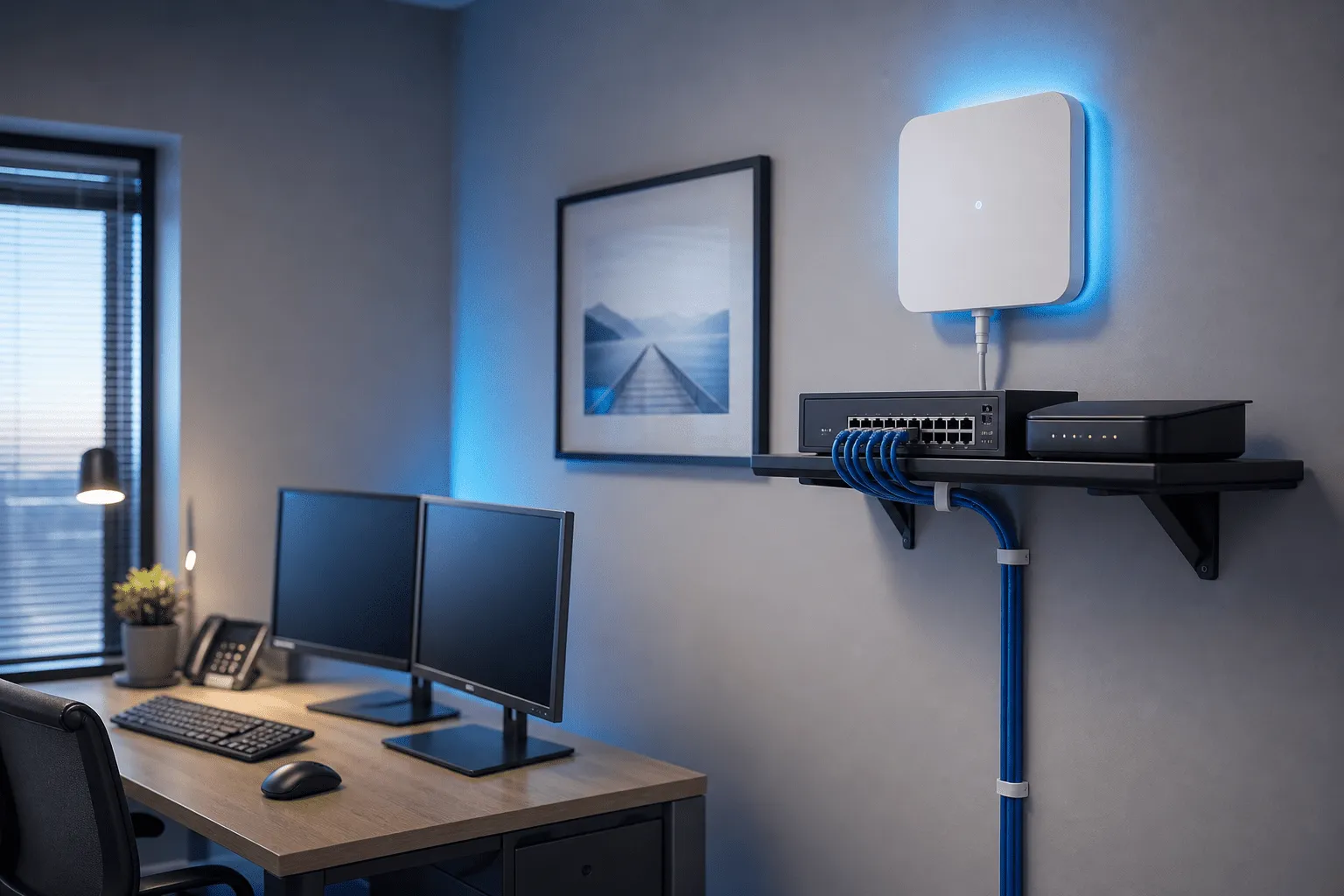
Most setups follow this chain:
- ISP modem or fiber ONT brings internet in
- Router handles firewall, DHCP, and WiFi (or connects to mesh)
- Switch adds wired ports for desks and printers
- Access points or mesh nodes extend WiFi where the router cannot reach
- Devices connect by cable or WiFi
For a deeper local example of when businesses later need more advanced routing, see the load balancer control panel case study. That is not day one for a five-desk office, but it shows how networks grow.
Practical steps to set up your network
- Map the space. Mark desks, printer, meeting room, and thick walls. WiFi hates concrete and metal cabinets.
- Choose router or mesh. For open plans, a quality mesh kit often beats one router in a corner. For wired-heavy offices, a router plus access point on cable is ideal.
- Run cable where cheap. If you renovate or have crawl space, one cat6 run per fixed desk pays off for years.
- Create guest WiFi. Separate SSID, no access to internal shares.
- Document admin login and stick it in your password manager, not on a Post-it.
- Test where people actually sit. Run a call from each desk before you declare victory.
- Plan backup internet if outages stop work (phone hotspot or second ISP for critical roles).
Equipment choices without overbuying
Brands matter less than placement and updates. Look for gigabit ports, easy firmware updates, and mesh or AP support if one box cannot cover the floor.
- Under five desks, mostly WiFi: solid mesh system, printer on WiFi or one cable
- Mixed laptops and desktops: router + switch + one wired AP
- Home business: same rules as small office; prioritize quiet fans and desk placement
If devices keep dropping, check common computer troubleshooting before blaming only the router.
Security basics that actually get done
- Change default router password and disable remote admin unless you need it
- Enable WPA3 or WPA2-AES; retire ancient WEP devices
- Keep router firmware current
- Separate IoT and guest devices from work laptops
- Use cloud backup for files that matter if a laptop or NAS fails
Frequently asked questions
How many access points does a small office need?
Often one good router or mesh kit covers up to roughly 100–150 m². Larger or L-shaped spaces may need a second node or wired access point.
Should I use WiFi or cables for desks?
Cable to fixed desks is most stable for calls and large uploads. WiFi is fine for laptops that move. Mix both when possible.
Do I need a managed switch?
For under ten desks, an unmanaged gigabit switch is usually enough. Managed switches help only if you need VLANs or advanced monitoring.
How do I secure guest WiFi?
Enable a separate guest SSID on the router, without access to office printers or file shares. Keep firmware updated.
Can you set up the network for me?
Yes. I install routers, mesh, cabling, and basic security for small offices and home businesses in Blekinge and Skåne, or advise remotely.
Conclusion
Small office network setup is about reliability you notice only when it works. Plan coverage, separate guests, cable what you can, and document the basics. When you want hands-on help, I can install and test on site or walk you through purchases remotely.
Contact me for network setup help or see infrastructure services for larger consulting.

Jamie Bech
Senior Developer & Technical Specialist
I'm a senior developer with expertise in modern web technologies, infrastructure, and business automation. With over 8 years of experience, I specialize in creating efficient solutions that help businesses scale and grow.
Related Articles
More guides on IT, web, and practical AI for small businesses and home users